Table of Contents
ghmd
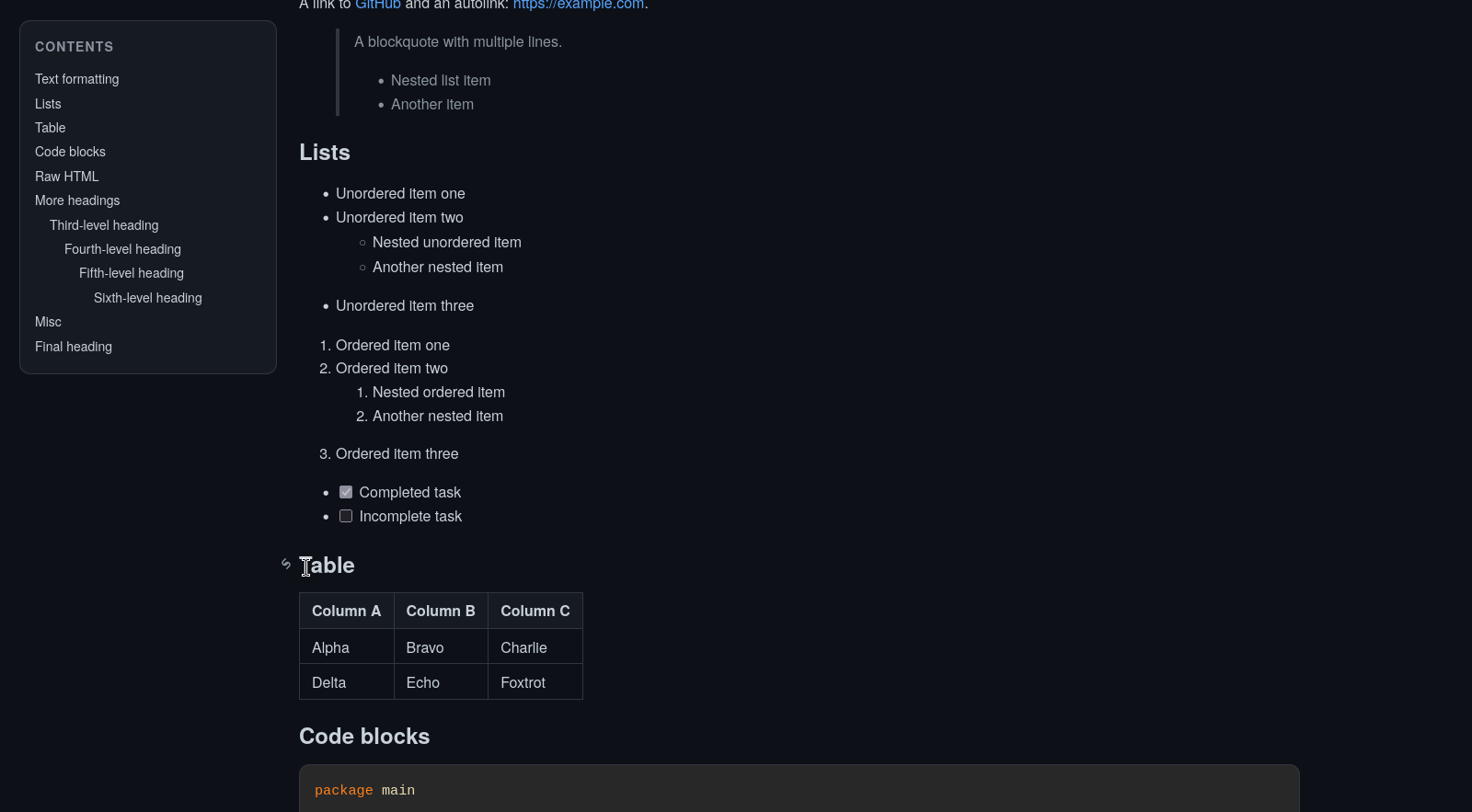
ghmd is a small Go CLI for rendering Markdown to HTML using Goldmark.
It aims to be close to GitHub-flavored Markdown rendering and includes:
- GitHub-flavored Markdown features
- syntax highlighting for fenced code blocks
- selectable highlighting themes
- table of contents generation
- clickable heading anchors
- Mermaid diagram support
- footnotes
- raw HTML support
Demo
Usage
Render a Markdown file to HTML:
go run . -i input.md -o output.html
Or read from stdin and write to stdout:
cat input.md | go run . > output.html
Server mode
Start HTTP server with -server.
go run . -server
# or
go run . -server ./docs -host 0.0.0.0 -port 8080
Server mode behavior:
- optional root directory path after
-server - default root directory is current working directory
-hostsets listen host-portsets listen port- directory index links
.., directories, and.mdfiles - other files are shown as plain text, without links
- Markdown pages render with the same TOC, anchors, theme switcher, and code theme picker
- code theme choice is saved in browser localStorage
Flags
-i— input Markdown file, defaults to stdin-o— output HTML file, defaults to stdout-title— override the HTML page title-theme— syntax highlighting theme-toc-min-level— minimum heading level included in the TOC-toc-max-level— maximum heading level included in the TOC-open— open the generated HTML in your browser-server— start HTTP server; optional root dir path-host— server host-port— server port
Theme options
Use -theme to choose the code highlighting theme.
Available values are the Chroma styles exposed by Goldmark highlighting, including:
abap, algol, algol_nu, arduino, autumn, average, base16-snazzy, borland, bw, colorful, doom-one, doom-one2, dracula, emacs, friendly, fruity, github, gruvbox, hr_high_contrast, hrdark, igor, lovelace, manni, monokai, monokailight, murphy, native, nord, onesenterprise, paraiso-dark, paraiso-light, pastie, perldoc, pygments, rainbow_dash, rrt, solarized-dark, solarized-dark256, solarized-light, swapoff, tango, trac, vim, vs, vulcan, witchhazel, xcode, xcode-dark
Example
Markdown input:
# Hello

Some `inline code`.

## Section

```go
fmt.Println("hi")
```

```mermaid
graph TD
  A --> B
```

A footnote reference.[^1]

[^1]: Footnote text.
Notes
- Heading anchors are inserted automatically.
- The table of contents includes headings from level 2 through 6 by default.
- Mermaid diagrams are rendered client-side using the Mermaid CDN.
- Raw HTML is allowed in the rendered output.
Home Manager
Use the flake module to run ghmd as a user systemd service:
{
  inputs.ghmd.url = "github:0xferrous/ghmd";

  outputs = { self, ghmd, home-manager, ... }: {
    homeConfigurations.alice = home-manager.lib.homeManagerConfiguration {
      pkgs = import nixpkgs { system = "x86_64-linux"; };
      modules = [
        ghmd.homeManagerModules.default
        {
          programs.ghmd.enable = true;
          programs.ghmd.rootDir = "/home/alice/docs";
          programs.ghmd.host = "127.0.0.1";
          programs.ghmd.port = 8080;
          programs.ghmd.theme = "github";
        }
      ];
    };
  };
}
NixOS module
Use the flake module to run ghmd as a system service:
{
  inputs.ghmd.url = "github:0xferrous/ghmd";

  outputs = { self, nixpkgs, ghmd, ... }: {
    nixosConfigurations.host = nixpkgs.lib.nixosSystem {
      system = "x86_64-linux";
      modules = [
        ghmd.nixosModules.default
        {
          services.ghmd = {
            enable = true;
            rootDir = "/var/lib/ghmd";
            host = "127.0.0.1";
            port = 8080;
            theme = "github";
            openFirewall = false;
          };
        }
      ];
    };
  };
}
Available options:
services.ghmd.enable— enable the system serviceservices.ghmd.package— package to runservices.ghmd.rootDir— directory to serveservices.ghmd.host— listen hostservices.ghmd.port— listen portservices.ghmd.theme— syntax highlighting themeservices.ghmd.openFirewall— open the service port in the firewall
Development
Format the project:
gofmt -w *.go
License
MIT